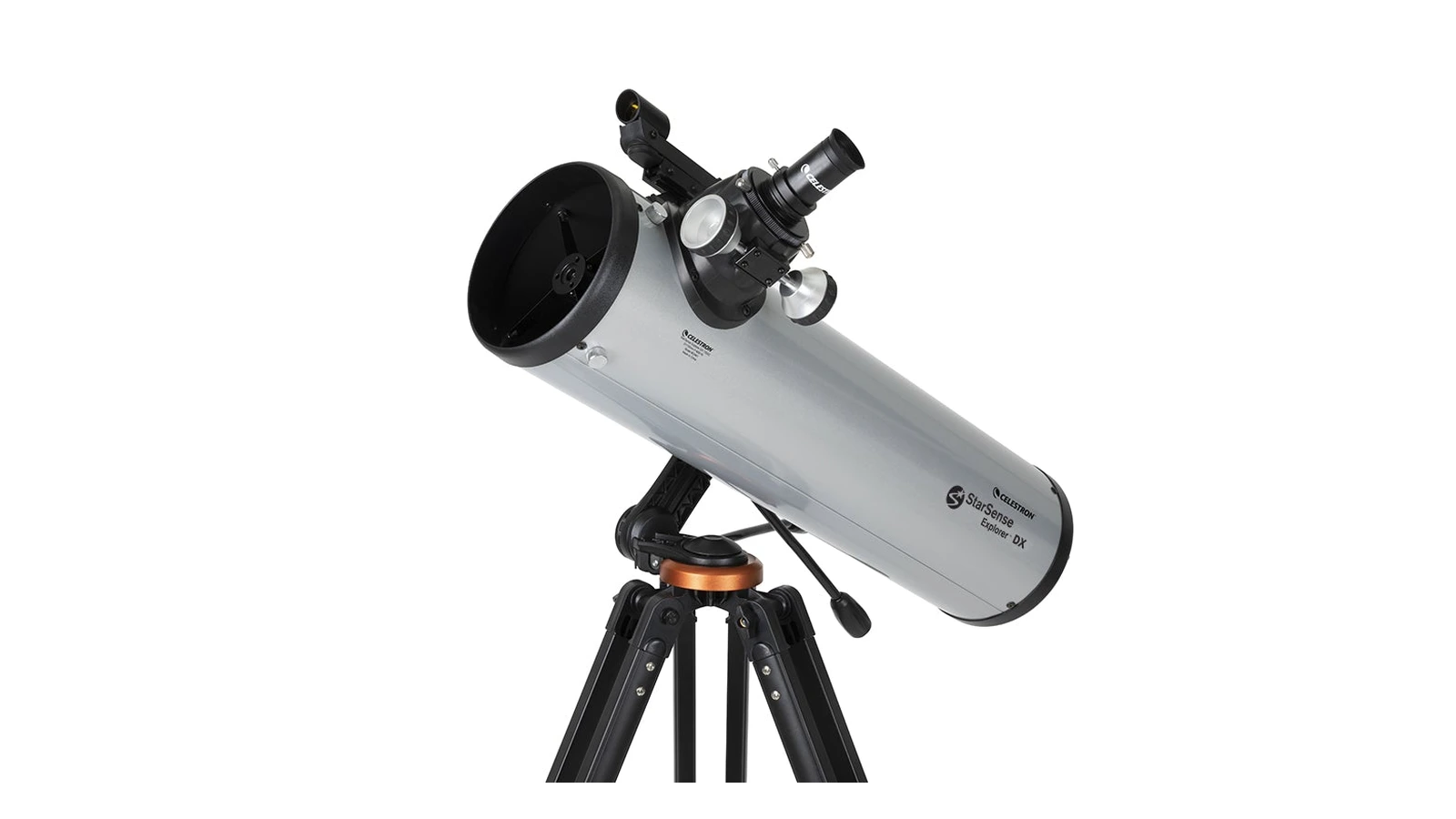
Celestron StarSense Explorer DX 130AZ
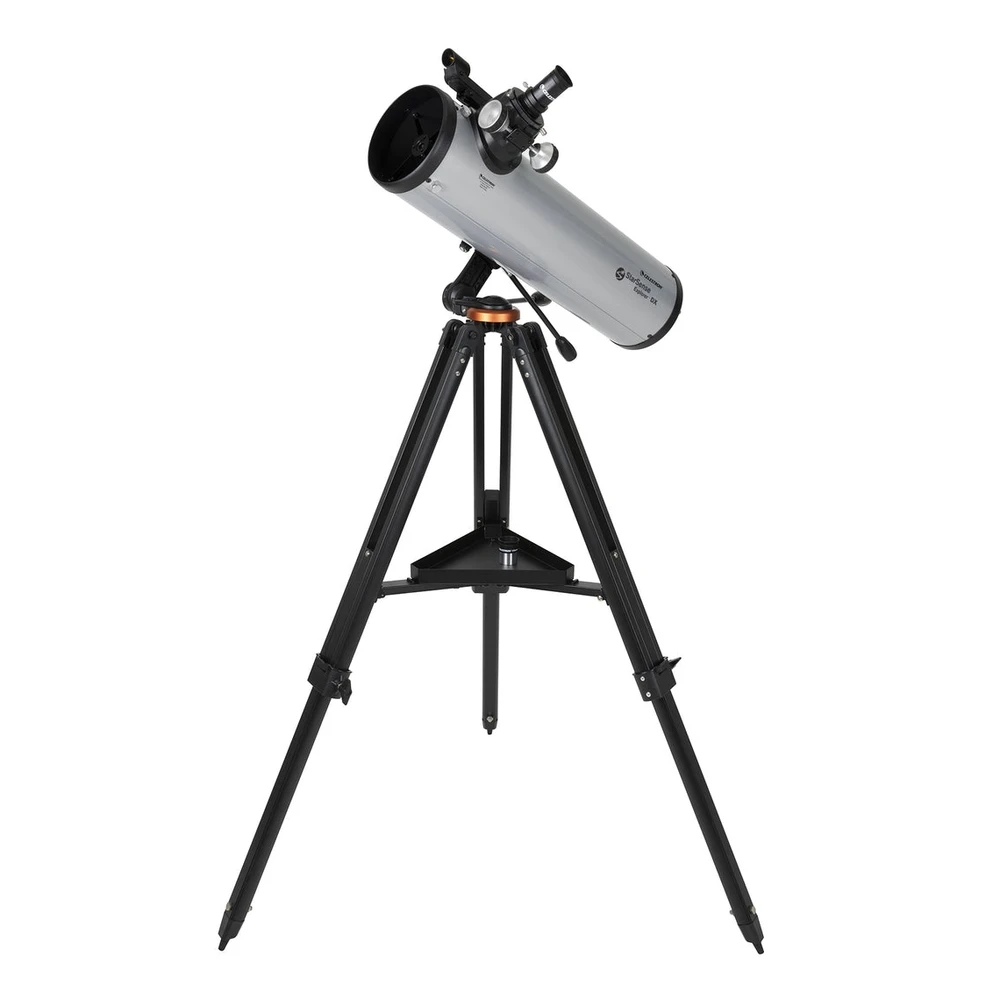
The StarSense Explorer range has been the UK's best-selling beginner telescope line for the past couple of years, and the DX 130AZ is the sweet spot in it. The phone-guided finding works, it isn't a gimmick, and the 130mm parabolic optics are the real thing. Buy it if "I can never find anything" is your fear. If you'd rather learn the sky yourself, the Heritage 130P gives you the same views for half the money.
StarSense Explorer DX 130AZ Specifications
| Key Specifications: Celestron StarSense Explorer DX 130AZ | |
|---|---|
| Price (UK) | £429 at First Light Optics |
| Aperture | 130mm (5.1") |
| Optical Design | Newtonian reflector, parabolic primary mirror |
| Focal Length | 650mm (f/5) |
| Mount | Manual alt-azimuth with dual slow-motion controls, full-height steel tripod |
| Finding System | StarSense dock: phone camera plate-solving via the StarSense Explorer app |
| Included Eyepieces | 25mm (26×) · 10mm (65×) |
| Finder | StarPointer red dot (backup for the app) |
| Total Weight | ~8.2kg assembled |
| Power | None needed: no motors, phone does the computing |
| Phone Requirement | Most recent iPhones/Androids: check Celestron's compatibility list |
| Warranty | 2 years via First Light Optics |
What Is the StarSense Explorer DX 130AZ?
It's a 130mm Newtonian reflector on a manual alt-azimuth mount, so far, completely conventional. What's different is the grey dock on the side of the tube. Your phone clips into it above a small mirror, and Celestron's StarSense Explorer app uses the phone's camera to photograph the sky and work out, precisely, where the telescope is pointing.
This is plate-solving, the same technique smart telescopes and observatory systems use, running on your phone. It's not the gyroscope-and-compass guesswork that "telescope apps" used to mean. The app knows where the scope points to within a fraction of a degree, in real time, as you move it.
Using it feels like a treasure hunt with the answers included. Pick the Ring Nebula from tonight's recommended list, and arrows on screen show you which way to push the tube. As you get close the arrows shrink to a bullseye, the bullseye turns green, and the object is sitting in the eyepiece. First-night success rate with this system is about as close to guaranteed as manual astronomy gets.
One thing to be clear about: there are no motors. The StarSense finds; you push, and nothing tracks. It's "push-to", not "GoTo", which is also why there are no batteries to die and nothing to align.
What's Included with the StarSense Explorer DX 130AZ?
The 130mm f/5 optical tube. A proper parabolic primary mirror, not the spherical mirror that haunts cheaper 130mm scopes, with a 650mm focal length. This is the same optical recipe as the much-loved Heritage 130P, and it's a known quantity: sharp, versatile, and enough aperture to show real deep-sky objects.
The StarSense dock. Fits phones of most sizes, adjusts for camera position, and unclips when you want to use the app's sky map handheld. The mirror underneath is what lets the phone see the sky while sitting at a comfortable angle.
Alt-azimuth mount with slow-motion controls. Up-down, left-right movement with flexible control cables for fine adjustments, properly useful at higher magnification, where pushing the tube directly is too coarse. The tripod is full height, so no table needed (the Heritage 130P's usual catch).
Two eyepieces and a red dot finder. The 25mm (26×) and 10mm (65×) eyepieces are usable starters, and the red dot finder covers you if your phone dies. Most owners add a better high-power eyepiece within a few months. A BST StarGuider 8mm (81×) is the classic first upgrade.
What Can You See with the StarSense Explorer DX 130AZ?
130mm of aperture is the point where deep-sky observing stops being aspirational and starts being a normal evening. And because the app does the finding, you'll actually look at far more of it than the average beginner.
The Planets
Saturn's rings are unmistakable at 65×, and a shorter eyepiece pushes to the 150–200× where the Cassini Division appears on steady nights. Jupiter shows two or more cloud belts and the four Galilean moons rearranging themselves night to night. Mars shows its polar cap near opposition. Tracking is manual, so at high power you'll nudge the slow-motion cables every half minute.
The Moon
Superb: craters, rilles, and mountain ranges in sharp detail, with the terminator (the day-night line) changing visibly from night to night. The Moon is also the easiest phone photo you'll take through the eyepiece, dock or no dock.
Nebulae
The Orion Nebula is the showpiece: at 26× the whole sword region fits in view with the nebula glowing at its heart. The Ring Nebula and Dumbbell are easy catches with the app doing the finding. Under dark skies, a UHC filter later expands the list considerably.
Star Clusters
Where this aperture shines. The Pleiades, the Double Cluster, the Beehive, M11: all spectacular in the wide 25mm view. Globular clusters like M13 start to grain into stars at the edges at higher power. Clusters punch through light pollution better than anything else, which makes them ideal town-garden targets.
Galaxies
Andromeda (M31) is an easy find, the app takes you straight there, and shows its bright core with hints of the dust lanes from dark sites. M81 and M82 fit in one view. From suburban gardens, galaxies are soft glows; from dark skies, the list runs to dozens. This is where the app does its best work, because galaxies are the hardest objects to find manually.
Double Stars
Albireo's gold-and-blue pairing, the Double-Double in Lyra, Mizar and Alcor: all rewarding, all immune to light pollution, and all in the app's lists so you don't need to memorise where they live.
StarSense Explorer DX 130AZ vs Heritage 130P: Which Should You Buy?
The question that matters, because these two share essentially the same 130mm f/5 parabolic optics. The views at the eyepiece are the same. What you're choosing between is everything around the optics.
| DX 130AZ | Heritage 130P | |
|---|---|---|
| Price | £429 | ~£215 |
| Optics | 130mm f/5 parabolic | 130mm f/5 parabolic |
| Finding objects | Phone-guided ✓ | Red dot + star charts |
| Mount | Full tripod + slow-motion ✓ | Tabletop Dobsonian |
| Needs a table/wall | No ✓ | Yes |
| Collapses for storage | No | Yes ✓ |
The £200 difference buys the StarSense system and a full-height mount. Whether that's worth it depends entirely on you. If the idea of learning star charts appeals, and it's a satisfying skill to learn, the Heritage 130P is the best-value telescope in the UK and the one we recommend most often.
But the awkward truth about beginner telescopes is that most of them end up in cupboards because their owners couldn't find anything. If that risk sounds like you, or the person you're buying for, the StarSense fixes it for £200, and a telescope that gets used beats a cheaper one that doesn't.
StarSense Explorer DX 130AZ: What Buyers Say
The app surprises sceptics. The most common theme in owner reviews is some version of "I assumed this was a gimmick, and it isn't." Plate-solving is real technology, the pointing accuracy is good enough to put objects in the eyepiece reliably, and reviewers from BBC Sky at Night to the astronomy forums have praised how well it works. The StarSense range topping Amazon UK's telescope sales for two years running tells the same story.
First-night success comes up again and again. Owners report finding half a dozen deep-sky objects in their first session, a list that would take a chart-and-finder beginner weeks. For families, the "tonight's best objects" list in the app effectively plans the session for you.
The mount is the weak point. The tripod is adequate rather than great, and at high magnification a knock takes a moment to settle. The slow-motion cables help a lot. It's the standard compromise at this price: the money went into the optics and the dock.
The included eyepieces are starters. Fine for the first months; most owners add a quality 8mm or a Barlow once they want more planetary detail. Factor £40–50 in eventually.
Phone compatibility is the one genuine dependency. Recent iPhones and mid-range-or-better Androids work well. Very old phones, and a handful of models with unusual camera placements, struggle. Celestron's online compatibility checker takes thirty seconds and is worth doing before you order.
StarSense Explorer DX 130AZ: Known Limitations
- No tracking. Nothing moves by itself. At 150×+ on planets you'll be turning the slow-motion cables every 30 seconds or so as the Earth rotates. Fine for visual use; rules out astrophotography beyond Moon snaps.
- Your phone is part of the telescope. No compatible phone, no StarSense. You're back to the red dot finder. Cold UK nights also drain phone batteries quickly; a pocket power bank is a sensible accessory.
- Mount wobble at high power. Adequate, not premium. Let vibrations settle after focusing and avoid extending the tripod higher than you need.
- Street-lit gardens can slow the app down. Plate-solving needs the phone to see stars, so heavy glare or a phone camera pointed at a security light can delay solving. Shield the dock from direct light sources and it sorts itself out.
- Included eyepieces are basic. Usable, but a better 8mm eyepiece is the upgrade that unlocks the optics' planetary potential.
- Needs occasional collimation. Like all Newtonians, the mirrors need aligning now and then. It's a five-minute job with a collimation cap once you've done it twice.
Other StarSense Explorer Models: Bigger and Smaller
Celestron puts the same dock-and-app system on a whole range. Below the DX 130AZ, the LT models (70–80mm refractors) are cheaper but the small apertures undersell what the app can find: the app will point you at galaxies the optics can't really show. Above it, the DX 5" Schmidt-Cassegrain suits planet-focused observers, and the StarSense 8" Dobsonian (~£800) is arguably the best beginner deep-sky telescope on sale: 8 inches of aperture plus the app's finding. If your budget can reach it and you have the storage space, it's the upgrade pick.
For the same money as the DX 130AZ you could also consider the StellaLyra 8" Dobsonian (£449), more than twice the light grasp, no app. More aperture, more finding it yourself. By this point you'll know which side of that trade you're on.